

Speed is only one difference between Hyva and Luma
The Hyva versus Luma discussion usually starts with page speed. Speed is easy to see in a benchmark. The maintenance cost appears later, in every frontend change, extension update, and Magento upgrade.
Luma can run a large Magento store, but its frontend stack has many pieces to coordinate. Hyva uses a smaller frontend surface, which can reduce the amount of code a team must understand and review.
The right comparison includes launch work and the years that follow. Count the cost to change the storefront, repair upgrade drift, onboard developers, and keep extensions working.
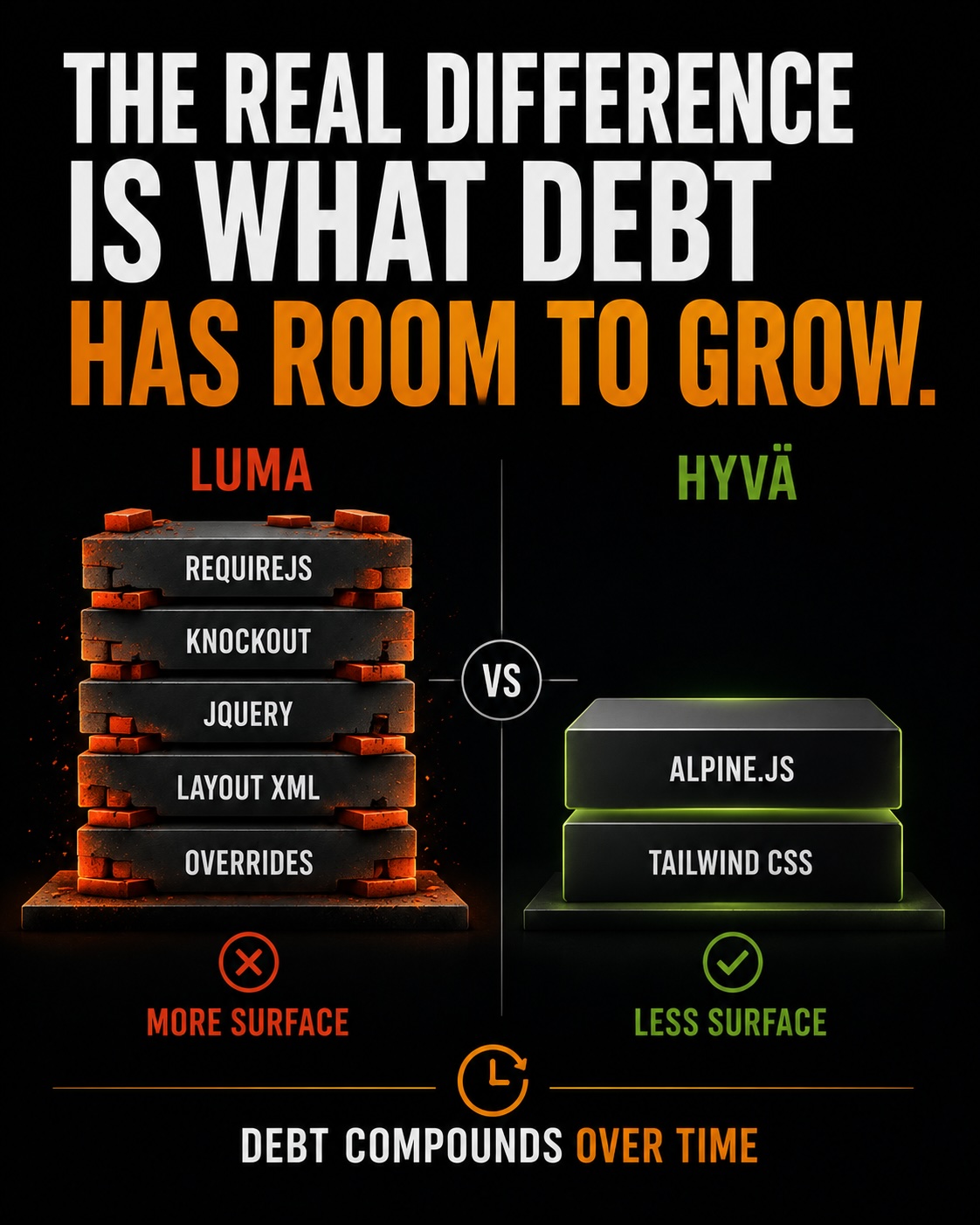
Luma has more frontend pieces to coordinate
Luma uses RequireJS, Knockout.js, jQuery, layout XML, templates, and theme styling. Each piece handles a real job. RequireJS loads JavaScript modules, Knockout connects data to the page, jQuery handles browser operations, and layout XML selects blocks and templates.
A small change can cross several of those systems. A new account field may need layout XML, a template, a Knockout component, a RequireJS module, and styling. Missing one connection can leave a page that renders without working correctly.
Custom modules and theme customizations add more paths through the same stack. Over time, the difficult part is the amount of frontend internals a developer must understand before changing one screen safely.
Hyva reduces the frontend surface
Hyva replaces the Luma frontend approach with Alpine.js and Tailwind CSS. Alpine.js handles small browser interactions close to the markup. Tailwind CSS provides utility classes for styling without a large custom stylesheet for every component.
Hyva usually sends less JavaScript for common storefront interactions, but the maintainability gain comes from the smaller set of systems a developer must connect. There are fewer places for duplicate browser logic, stale selectors, and conflicting customizations to hide.
Customization debt starts with overrides
A Luma theme can collect template overrides, custom RequireJS modules, layout XML changes, jQuery widgets, and theme customizations over several years. Each change may solve a real business need at the time.
The problem appears when the original reason is forgotten. A copied core template can silently drift from the Magento version underneath it. A custom module can depend on a JavaScript event that another extension changes later.
Hyva can also accumulate debt. Its smaller surface makes the code easier to inspect, but poor conventions and untracked custom modules still create repair work. The framework does not remove the need for code review and ownership.
Measure the debt before comparing frameworks
Start with the current codebase. Count template overrides, custom modules, layout XML files, RequireJS configuration, Knockout components, jQuery widgets, and theme styles that differ from the supported baseline.
For each item, record the page it changes, the business reason, the module or agency that owns it, and the test that proves it still works. A file count alone cannot tell you whether a change is a color adjustment or a custom checkout flow.
Keep the inventory in a version-controlled Directory. Record the code DIFF and make the test steps Reproducible. That gives the team evidence for the maintenance estimate.
Upgrades expose the maintenance cost
Magento upgrades reveal how much frontend code depends on core internals. A Luma theme with copied core templates requires a review of each override against the new Magento version.
The review must answer several questions: did the core template change, does the override still need to exist, did a JavaScript event change, and did another extension add a conflicting layout or selector?
A frontend with fewer overrides has fewer comparisons during an upgrade. That does not remove testing, but it can reduce the number of places where a core change can break the storefront.
Upgrade frequency changes the calculation
A store that upgrades once every few years may accept a larger Luma maintenance surface. A store that follows Magento security releases and platform updates more closely pays the review cost more often.
Track upgrade hours, failed deployments, frontend regressions, and the age of copied overrides. Those numbers show the current recurring cost better than a framework preference does.
Who can safely work on the frontend
Maintainability includes the skills required to change the code without breaking the storefront. A Luma developer needs Magento frontend conventions plus RequireJS, Knockout.js, jQuery, layout XML, and the behavior of the installed extensions.
Hyva uses Alpine.js and Tailwind CSS, which are closer to common frontend tools. A developer still needs Magento knowledge, but the browser-side systems may be easier for a wider team to learn and review.
This affects hiring, onboarding, code review, and the risk of relying on one specialist. Record which skills your team already has before treating a framework switch as a staffing solution.
The migration is the upfront cost
Moving from Luma to Hyva means rebuilding the theme and porting extensions with storefront UI. The backend may remain in place, but the frontend behavior still needs implementation and testing.
Compare that one-time work with the current recurring cost. Include template rebuilds, custom JavaScript, layout changes, extension compatibility work, checkout work, QA, performance testing, and release support.
For a store with a large Luma customization inventory and frequent upgrades, the recurring review and repair hours may support the migration. For a lightly customized store, the upfront rebuild may take longer to recover.
Extensions can change the estimate
An extension may keep its Magento backend integration while its storefront UI still depends on Luma. Check whether each extension is Hyva-ready, supported by a compatibility module, or in need of a custom port.
Do not mark an extension complete because the product page works. Test account pages, cart behavior, checkout, customer data, prices, shipping, payment, and any UI the extension adds.
Record incompatible extensions in the migration DIFF and decide whether to port, replace, remove, or keep that feature on Luma during a phased rollout.
A phased migration can reduce transition risk
A store does not always need one large cutover. Hyva and Luma can run in different areas when the routing, theme setup, extensions, and project design support that arrangement.
Choose a first area with a clear boundary and a useful test group. Product and category pages may be candidates, but the right choice depends on extension compatibility, customer data, checkout links, analytics, SEO, and cache behavior.
Move one area, measure the result, and record the issues before expanding. A phased plan spreads the rebuild and gives the team a way to stop without leaving the whole storefront in an unknown state.
Compare recurring cost with launch cost
Hyva may reduce the amount of frontend code a team reviews, changes, and repairs. Luma may be the better short-term choice for a store with few customizations and low upgrade frequency. The answer depends on the evidence in the current codebase.
Track the hours spent on frontend changes, upgrade reconciliation, regressions, extension fixes, and specialist support. Then compare those numbers with the work required to rebuild the storefront in Hyva.
Make the decision from an inventory
Count the template overrides, custom modules, layout XML, JavaScript, theme customizations, and extensions with storefront UI. Check the compatibility path for each one and give checkout its own review.
Keep the maintenance inventory in a version-controlled Directory. Preserve the code DIFF, record the test plan, and make the comparison Reproducible. A framework decision based on those records can be reviewed and updated as the store changes.
Hyva is a maintainability choice when the lower ongoing frontend cost supports the rebuild. Luma is a reasonable choice when the existing surface is small and stable. Scope the work first, then choose the framework that fits the platform you actually have.