

Unused integrations keep running
Stores collect integrations over time. These may include an ERP sync, a marketing platform, a product feed exporter, or a shipping connector. When the business stops using one, its code often stays installed.
The code keeps running. Cron jobs still fire, observers still react to events, and API calls still go to a service that nobody watches.
This article explains the load an abandoned integration puts on a store, where to find signs of it in logs and configuration, and how to shut it down safely.
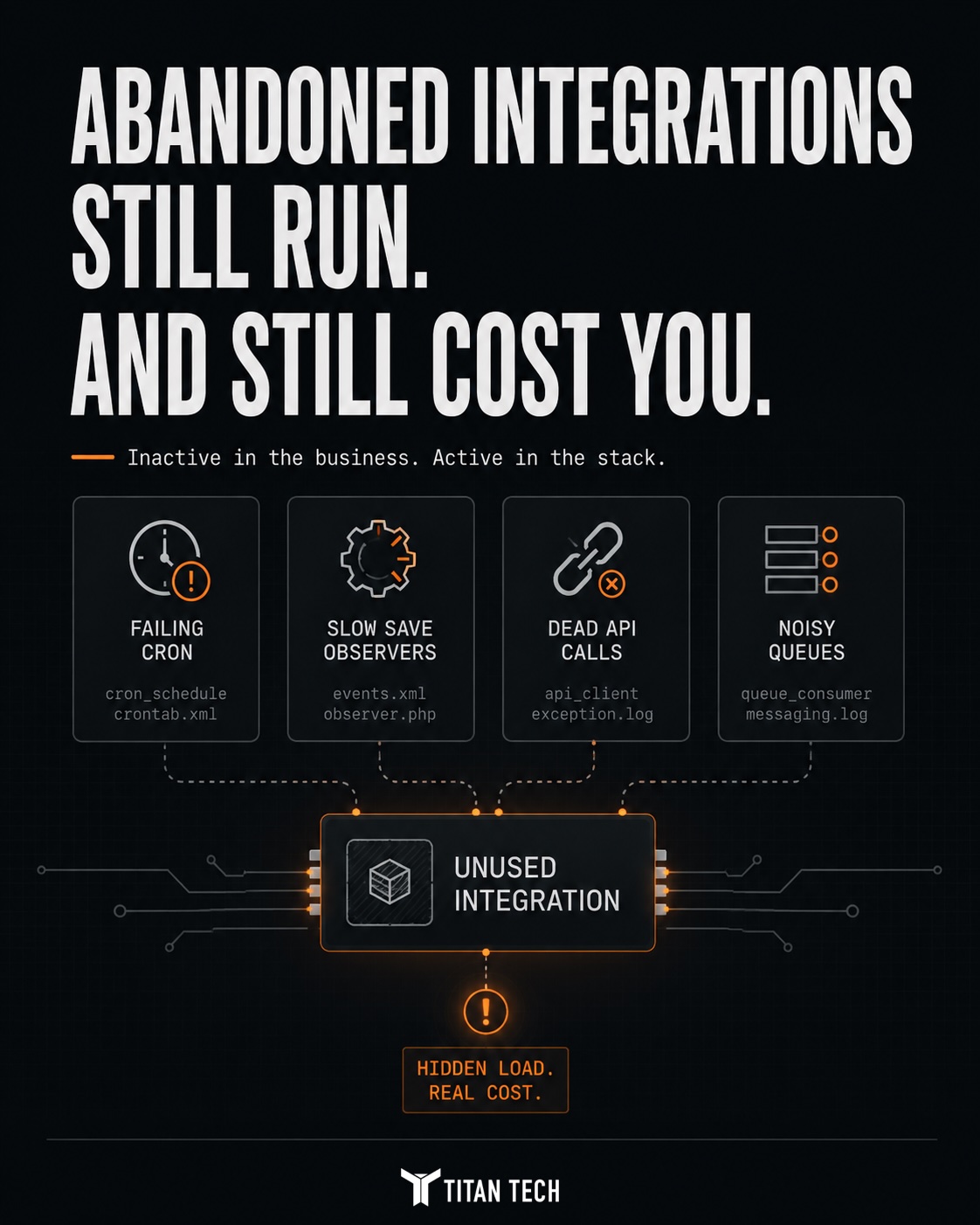
What an abandoned integration still costs
An abandoned integration is still active code. It uses server resources even when no business process needs it.
- Cron jobs that run on schedule and poll or push to an endpoint that may no longer answer.
- Observers that fire on catalog, order, or customer events and add work to every save.
- Queue consumers that process, or fail to process, messages for a feature nobody uses.
- API tokens that remain active for a service the business no longer uses.
Each task had a purpose when the integration was active. After the integration is abandoned, the task still consumes resources without supporting the store.
Failed cron jobs fill the schedule
An integration's cron job does not stop when the remote service does. It keeps running. If the endpoint is gone, the job fails every time.
These failures add error rows to cron_schedule. A job that fails repeatedly can crowd the schedule and fill the logs. When cron_schedule contains many failures from one job, an abandoned integration is one possible cause.
exception.log aimed at a service the business no longer uses is evidence of a dead integration still trying to run. It creates load and noise with no benefit.An observer can slow every save
Integrations often use save events to send data to another system. An abandoned integration still runs its observer every time someone saves a product, order, or customer.
If the observer makes a synchronous call to a dead endpoint, each save waits for the call to time out. The Admin area may feel slow when saving products, even though the catalog itself is working normally.
The observer is doing what its code tells it to do. The remote service is no longer there.
How to find abandoned integrations
Start with module configuration and logs. Both can show which integrations are still active.
Check the crontab.xml and events.xml files in installed modules for jobs and observers tied to integrations. Review exception.log for repeated errors and group them by frequency, especially errors sent to external hosts. The integrations grid in the Admin area lists active API access, including tokens for services that may no longer exist.
A recurring error sent to an unfamiliar external host is a strong signal. It shows that part of the store is still trying to contact a service the business no longer uses.
How to remove one safely
Remove or disable the module that provides the abandoned integration. This stops its cron jobs, observers, and consumers together.
Revoke every API token held by the integration. This closes the unused access path and stops failed authentication attempts. Before removing the module, confirm that no active feature depends on its data or configuration.
A clean removal reduces cron load, quiets the logs, speeds up saves, and removes an unused security surface.
Unused queue consumers still use resources
Integrations that use Magento's message queue can leave consumers behind after the integration is abandoned. Those consumers may keep running through cron or a process manager while trying to process messages for a feature that no longer exists.
If a consumer errors on every message, it can back up the queue and fill the logs with the same failure. If it runs without processing useful messages, it uses process capacity that another service could use.
Compare the consumers that are configured and running with the consumers the store still needs. Remove or disable consumers tied to a decommissioned integration.
Unused code creates real operating costs
An abandoned integration is easy to miss because it does not appear in the store's daily workflow. Its cost shows up in slower saves, noisier logs, and a busier cron schedule.
Removing one unused integration can quiet a noisy log, speed up product saves, and clear failed jobs from the cron schedule in one change.
A platform review should record which integrations are active and which are only installed. That list gives the team a clear removal plan.